Streaming Device Guide: How to Choose the Right Hardware for Watching and Going Live
A practical guide to choosing the right streaming hardware, covering streaming sticks, capture cards, encoders, and network considerations for both viewers and broadcasters.
Choosing the right streaming device can make the difference between a frustrating night of buffering and a smooth, enjoyable experience whether you are watching your favorite shows or broadcasting to your own audience. With so many options on the market, from budget-friendly streaming sticks to full-featured media players and capture devices, it helps to understand what each type of hardware actually does before you buy. This guide breaks down the major categories of streaming devices, what to look for in each, and how to match the right tool to your specific goals.
Understanding the Two Sides of Streaming Hardware
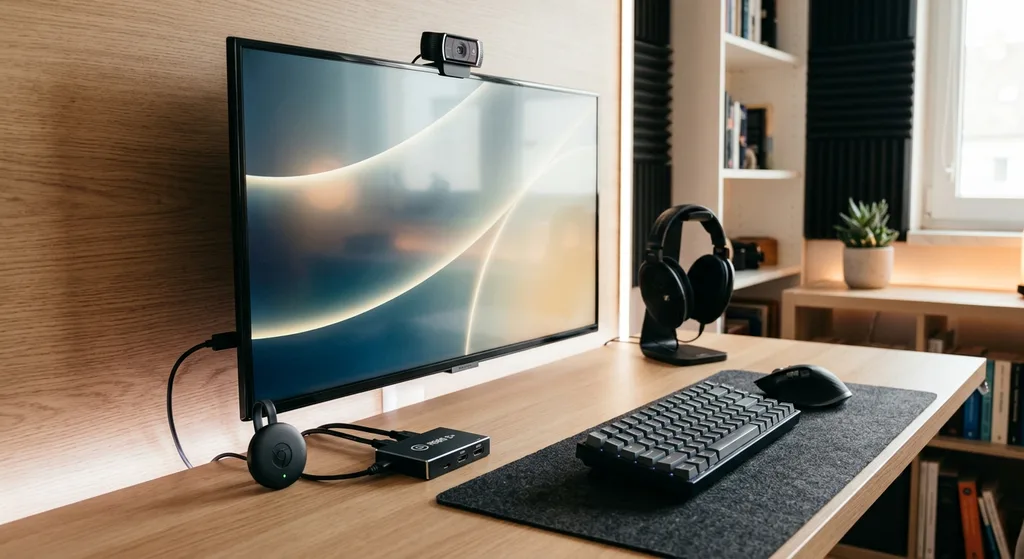
The term streaming device can mean very different things depending on whether you are consuming content or creating it. On the viewing side, devices like streaming sticks, set-top boxes, and smart TV platforms let you access apps such as video and music services on a television. On the creation side, devices like capture cards, encoders, and dedicated streaming boxes allow you to broadcast gameplay, webcam feeds, or other content to a live audience. Before shopping, it is worth asking yourself which category actually applies to your needs, since the features that matter for each are quite different.
Streaming Sticks and Boxes for Watching Content
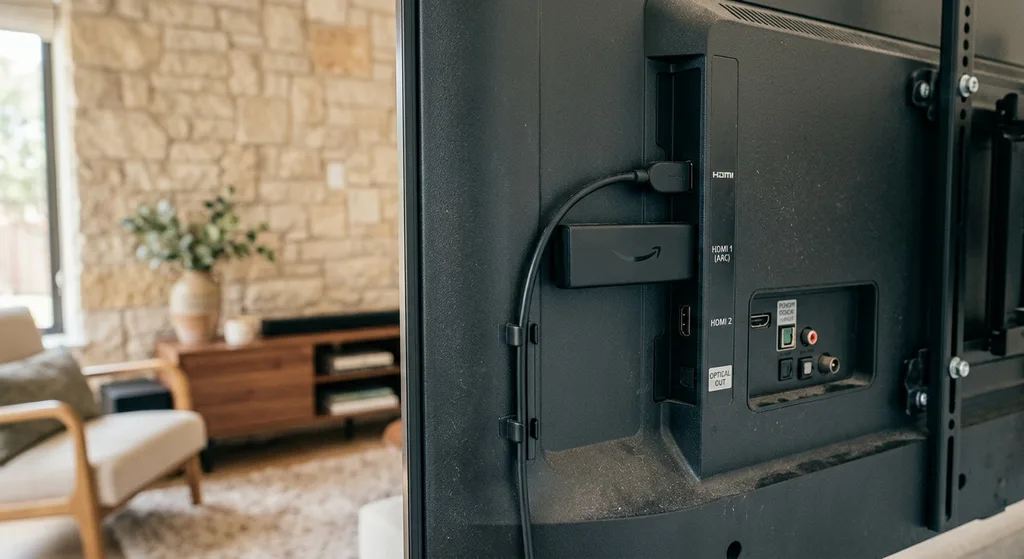
If your goal is simply to watch streaming services on a television, your main choices are streaming sticks, streaming boxes, and smart TVs with built-in apps. Streaming sticks are compact, plug into an HDMI port, and are generally the most affordable option. Streaming boxes tend to offer more processing power, additional ports, and sometimes support for higher resolutions or frame rates. When comparing these devices, consider:
- Resolution and HDR support, especially if you own a 4K television
- Remote control quality, including voice search and app shortcuts
- Storage and processing power for smoother app switching
- Compatibility with the specific apps and services you already use
For most casual viewers, a mid-range streaming stick offers a good balance of price and performance. Heavier users who run multiple apps at once or want faster navigation may benefit from a higher-end box with more memory.
Capture Devices and Encoders for Going Live
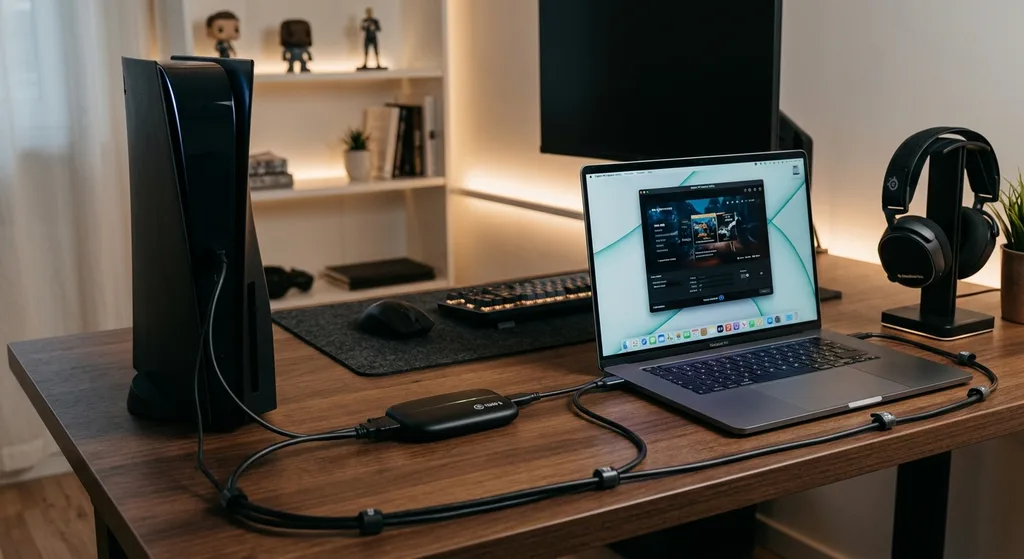
If you plan to broadcast rather than just watch, your hardware needs shift significantly. A capture card is often essential if you are streaming gameplay from a console or a second PC, since it allows that video signal to be brought into your streaming software. Dedicated hardware encoders can also simplify the process by handling encoding tasks separately from your main computer, which frees up system resources for gameplay or other tasks. Key factors to evaluate include:
- Input and output resolution support, particularly if you want to capture in 1080p or 4K
- Latency, since high-latency capture can create a noticeable delay between action and display
- Compatibility with your existing streaming software and operating system
- Whether you need an internal card, an external USB device, or a standalone hardware encoder
For a deeper dive into getting the most out of your setup once your hardware is in place, our guide on stream optimization walks through encoder settings, audio tuning, and other adjustments that can meaningfully improve your broadcast quality.
Network Considerations That Affect Every Device
No streaming device, no matter how advanced, can overcome a weak or unstable internet connection. Before investing heavily in hardware, it is worth evaluating your network setup. A wired ethernet connection is generally more stable than Wi-Fi for both watching and broadcasting, particularly if you are streaming live or working with high-resolution video. If wired connections are not practical in your space, look for devices with support for faster Wi-Fi standards, and consider positioning your router to minimize interference and distance. Bandwidth limitations can cause buffering on the viewing side and dropped frames or stream interruptions on the broadcasting side, so this is one of the first things to troubleshoot if you experience quality issues.
Matching Devices to Your Streaming Goals
It helps to think through a few common scenarios when narrowing down your options:
- Casual viewers who mainly want access to a few favorite apps on their television are usually well served by an entry-level streaming stick.
- Households with multiple 4K devices or demanding app usage may prefer a more powerful streaming box with additional storage and processing headroom.
- Beginner streamers just getting started with going live from a single PC may need only basic software and a decent webcam before considering additional hardware.
- Console or multi-PC streamers will likely need a capture card to bring in external video sources.
- Serious or full-time streamers may eventually benefit from a standalone hardware encoder to reduce strain on their main computer.
If you are completely new to either watching or broadcasting streams, our beginner's guide to streaming is a helpful starting point for understanding the basics before you invest in hardware.
Setup Tips for a Smoother Experience
Once you have chosen a device, a few setup practices can help you get the most out of it. Keep your firmware and app software updated, since manufacturers frequently release improvements for performance and compatibility. Organize your cables and ports thoughtfully, particularly if you are running multiple devices like a capture card, webcam, and microphone at once. Label or personalize your gear so it is easy to identify at a glance, which becomes especially useful once your setup grows to include several devices and accessories. For anyone just getting comfortable with the full process of going live, our complete online streaming tutorial covers software configuration and best practices in more detail.
Conclusion
Selecting the right streaming device comes down to understanding your actual use case, whether that is watching shows comfortably on your television or building a reliable setup for going live to an audience. By considering resolution needs, network stability, and the specific features that matter most for your situation, you can avoid overspending on hardware you do not need while still getting a setup that performs well. As your streaming habits grow or change, revisit your hardware choices periodically since your needs today may look different in six months.
Editorial Team
Frequently asked questions
Do I need a streaming stick if my TV already has smart apps built in?
Not necessarily. If your smart TV's built-in apps run smoothly and include the services you use, a streaming stick may be unnecessary. It can still be useful if your TV's software is outdated or slow.
What is the difference between a capture card and an encoder?
A capture card brings an external video signal, such as from a console, into your computer for use with streaming software, while a standalone encoder handles the encoding process separately from your computer, often reducing strain on your main system.
Is a wired internet connection really necessary for streaming?
A wired ethernet connection generally offers more stability than Wi-Fi, which can reduce buffering for viewers and help prevent dropped frames for broadcasters, though a strong Wi-Fi setup can work well in many cases.
How do I know if I need a 4K-capable device?
If your television or monitor supports 4K resolution and you want to take advantage of that quality, choosing a device that supports 4K output or capture is worthwhile. Otherwise, a 1080p device may be sufficient.
Discussion
Join the conversation
Share your perspective and connect with other readers.